
How AI Interview Prep Tools Analyze Your Non-verbal Cues (2026 Complete Guide)
I once watched a candidate get rejected after 43 minutes of an AI-powered video interview, not because his technical answers were bad, but because the system flagged his 'lack of enthusiasm.' He was a brilliant backend engineer, but his resting face could launch a thousand ships of solemnity.
I once watched a candidate get rejected after 43 minutes of an AI-powered video interview, not because his technical answers were bad, but because the system flagged his 'lack of enthusiasm.' He was a brilliant backend engineer, but his resting face could launch a thousand ships of solemnity. This is the unglamorous part of AI in hiring that LinkedIn posts won't tell you.
We're not talking about fancy algorithms predicting the next stock market crash; we're talking about basic computer vision and natural language processing picking apart your every twitch. Thea Kelley points out many tools focus heavily on content, not delivery, but the delivery is the content when an algorithm is watching.
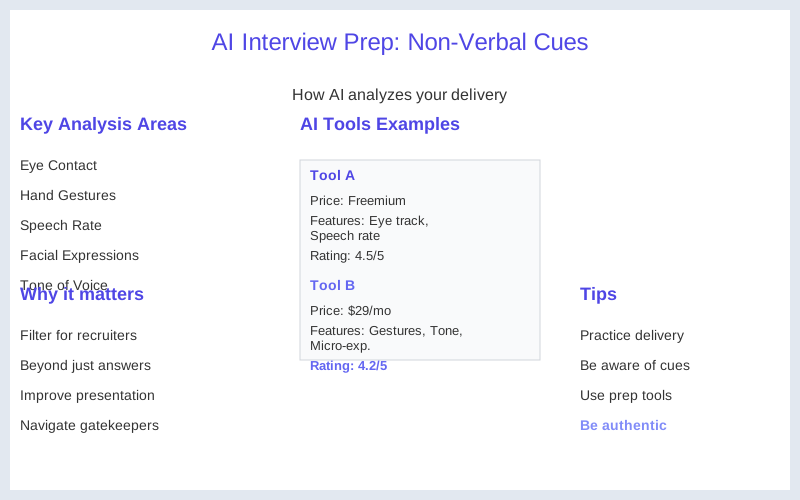
Most people think AI interview prep tools are just for refining your answers. They are, to a point. But the real game is what these tools analyze beyond your words: your non-verbal cues. Your eye contact, your hand gestures, your speech rate, even the micro-expressions on your face. Companies are using these systems to screen candidates at scale, often before a human ever lays eyes on your resume or your face.
It's a filter, and you need to understand how that filter works if you want to get past it.
Forget the bootcamp ads promising '$200K salaries in 12 weeks' by just knowing Python. The actual job of getting hired in AI roles, and many others, now involves navigating these automated gatekeepers. My first encounter with an AI interviewer felt like talking to a very polite, very judgmental robot. It was unsettling, and it taught me that the pivot tax isn't just about learning new skills; it's about learning a whole new way to present yourself.
A practical guide on LinkedIn suggests using AI to analyze tone and filler words, which is a start, but it barely scratches the surface.
The signal vs hype in AI hiring is stark. The hype says AI is making things fairer and more efficient. The signal, from my operational experience, says it's adding another layer of complexity, where your natural human quirks can be misinterpreted by a cold algorithm. You're essentially training for an audition where the judge is a neural network. It's not about being fake; it's about understanding what the system is looking for and adjusting your performance without losing your authenticity.
It's a delicate balance.
The Real Answer
The real answer to how AI interview prep tools analyze your non-verbal cues is that they are applying basic computer vision and audio processing algorithms to your video and voice feed, then comparing those metrics against pre-defined 'desirable' traits. Think of it like a very strict, very literal acting coach. They are not judging your soul; they are measuring your head tilt, your blink rate, and the pitch variation in your voice.
BizworkHQ notes that AI analyzes communication clarity, relevance, and structure, but the non-verbal part is a huge silent factor.
These systems break down your video into frames, identifying key facial landmarks to track expressions like smiles, frowns, or even subtle eye movements. They're looking for consistency in eye contact, for instance, not because it means you're honest, but because it's a proxy for engagement. A wandering gaze might be interpreted as distraction or lack of confidence, even if you're just thinking deeply.
For voice, it's about more than just filler words like 'um' or 'like.' The audio analysis focuses on speech rate, volume, and intonation. A monotone voice might be flagged as disengaged, while speaking too fast could be seen as nervousness. These aren't human interpretations; they are statistical deviations from a 'norm' dataset that the AI was trained on. One Reddit user points out that AI prep tools give an idea but aren't a replacement for real coaching.
My first brush with this was a tool that dinged me for 'excessive head movement' during a mock interview. I thought I was being expressive. The AI thought I was fidgety. It's a reminder that what feels natural to you might not compute well for an algorithm. The goal isn't to become a robot, but to understand the specific metrics these tools are tracking so you can adjust your delivery to be perceived more favorably.
These tools are built on models that learn from vast datasets of 'successful' and 'unsuccessful' interviews. This means if the training data was biased, the tool will reflect that bias. If most 'successful' candidates in the dataset exhibited a certain type of smile, the AI will favor that. It's not magic; it's pattern recognition, and sometimes those patterns are more about cultural norms or even just data collection quirks than actual job performance.
The operational reality is that these systems are a first pass filter. They're designed to reduce the human workload of sifting through hundreds of applications. If you don't pass the AI's non-verbal scrutiny, a human recruiter might never even see your application, regardless of your qualifications. That's the pivot tax you pay for not understanding the system.
What's Actually Going On
What's actually going on under the hood with these AI interview tools is a combination of established computer vision and natural language processing (NLP) techniques, bundled into a recruitment-focused application. It's less Skynet, more glorified spreadsheet with cameras. Sensei Copilot explains that AI identifies patterns based on job descriptions and previous interview reports, but this extends to non-verbal data too.
Facial Expression Analysis: These tools use algorithms to detect key points on your face - eyes, mouth, nose, eyebrows. They track the movement and configuration of these points to infer emotions or engagement. A 'neutral' expression might be scored lower than a 'slight smile' for roles requiring customer interaction, for example. It's all about mapping visual data to a scoring rubric.
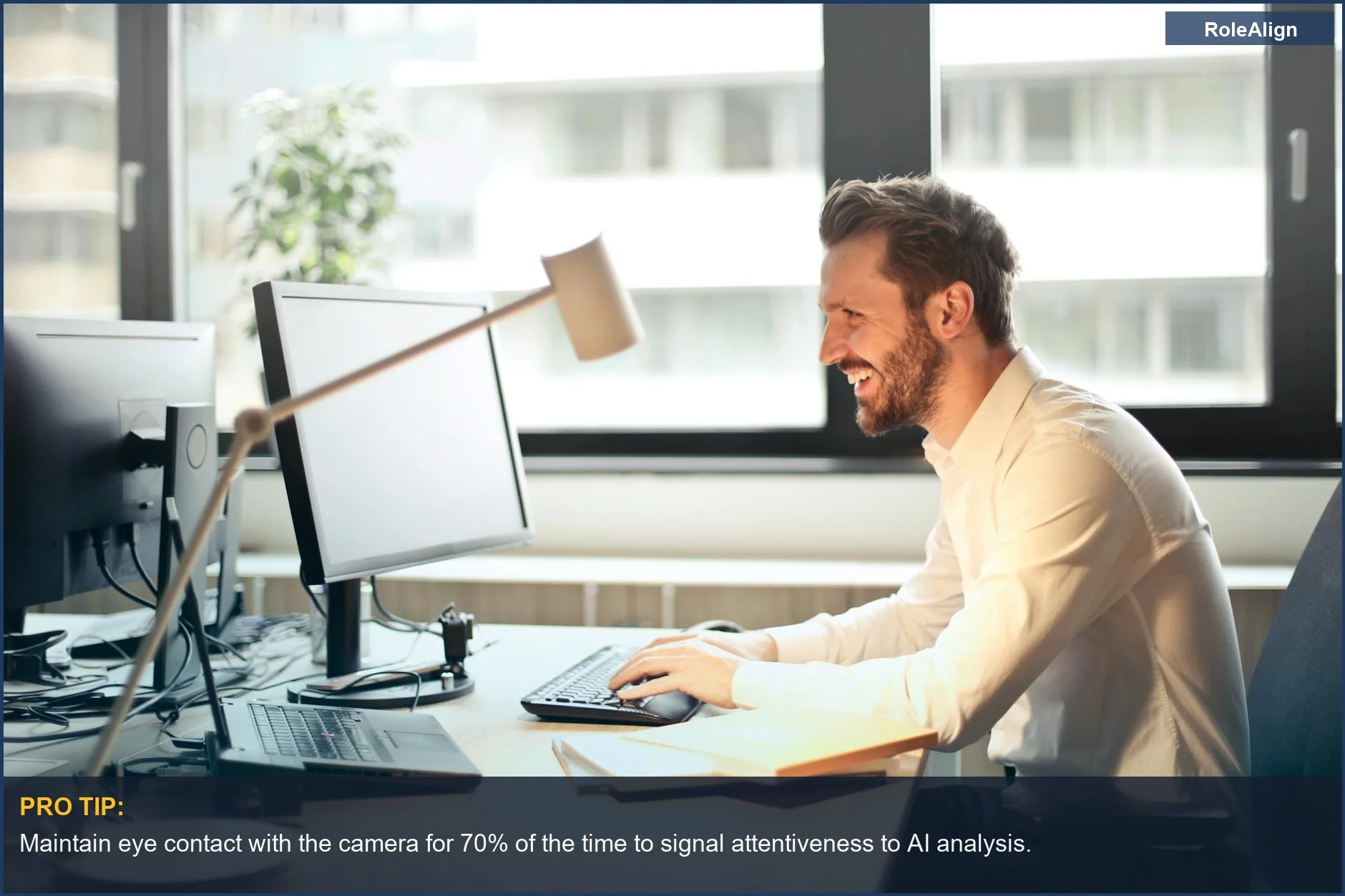
Eye Contact Tracking: The system monitors where your eyes are looking relative to the camera. Consistent eye contact is generally scored positively. Looking away too often, especially downward, can be interpreted as a lack of confidence or disengagement. This is why many tools recommend looking directly into your webcam, not at your own image on the screen. A YouTube guide emphasizes the importance of preparation for AI-powered interviews.
Body Language and Gestures: Some advanced systems can track hand movements and posture. Excessive fidgeting, slumped shoulders, or crossing arms might be flagged as negative cues. They're looking for open, confident postures. It's the kind of feedback a human interviewer might subconsciously pick up on, but an AI quantifies.
Speech Characteristics: Beyond identifying filler words, the audio analysis is quite sophisticated. It measures your speaking pace (words per minute), volume consistency, and pitch variation. A monotonous voice, or one that's too quiet, can be scored poorly, while a lively, varied tone is often preferred. This isn't about what you say, but how you say it.
Engagement Metrics: These tools often combine various non-verbal signals to create an 'engagement score.' This includes factors like how often you smile, your head nods, and the frequency of vocal affirmations. It's a holistic metric designed to capture how present and interested you appear during the interview. It's the unglamorous 80 percent of the job of an AI system: collecting and aggregating data points.
Company Size Variation: Larger enterprises with established HR tech stacks are more likely to use sophisticated AI screening tools from vendors like HireVue or Talview. Smaller companies might use simpler tools or none at all, relying more on human review. The level of scrutiny on your non-verbal cues scales with the company's investment in these platforms.
Regulatory Landscape: The rise of AI in hiring has sparked debates about bias and fairness. Some regions are starting to implement regulations around the use of AI in recruitment, particularly concerning potential discrimination. This means tool providers are constantly tweaking their algorithms to be 'fairer,' but the core non-verbal analysis remains a critical component.
How to Handle This
Okay, so you know the AI is watching your every move. Now, how do you actually handle this? My advice: treat AI prep tools like a sparring partner, not a scriptwriter. First, pick a tool that gives you specific, actionable feedback on non-verbal cues. Many free options exist, but the paid ones often offer more granular insights. PrepoAI mentions assessing both verbal and non-verbal communication for a holistic view.
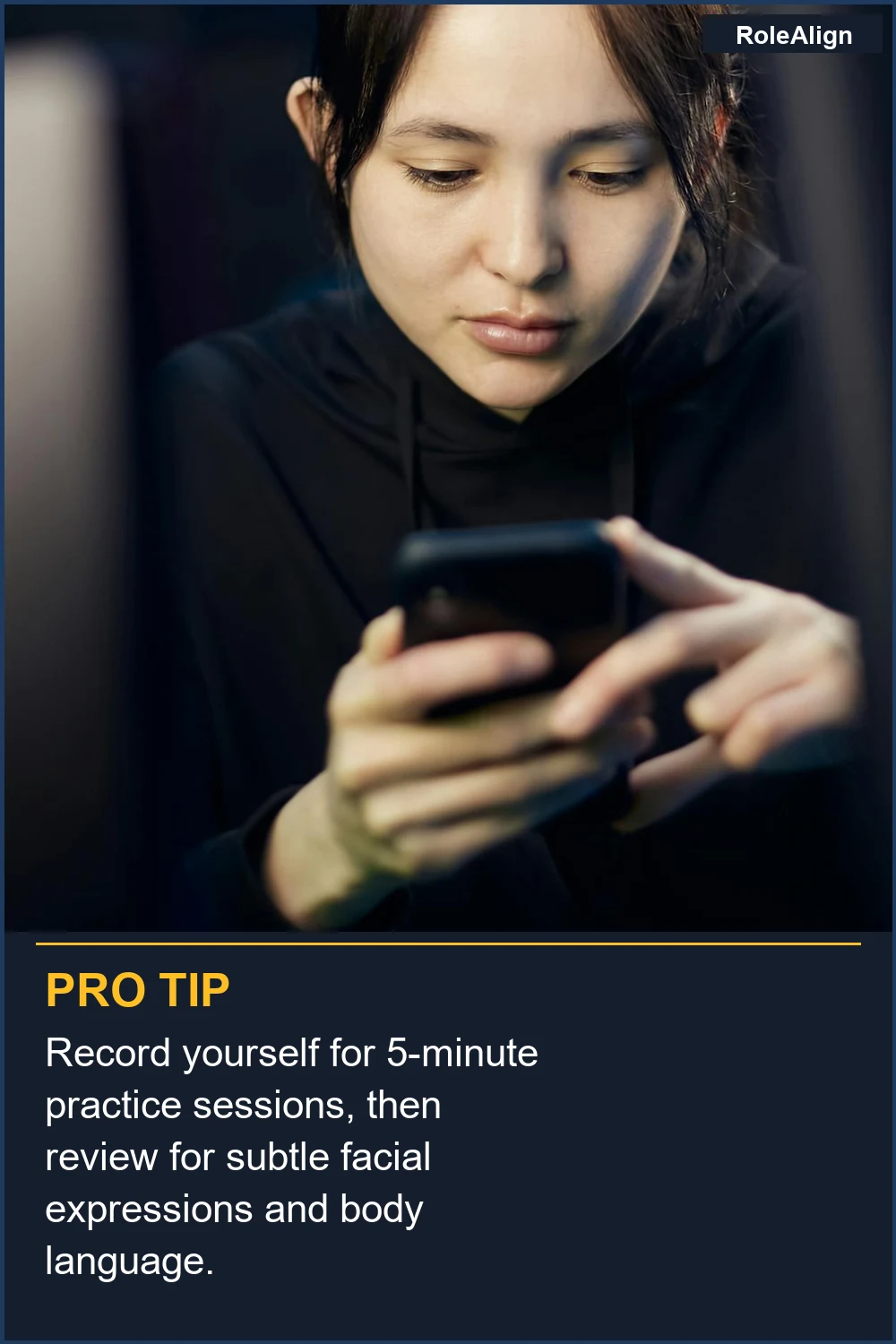
Step 1: Baseline Recording (15 minutes). Record yourself answering 3-5 common interview questions without any specific prep. Don't overthink it. This is your raw, natural baseline. Use a tool like Google Interview Warmup or a free trial of a more advanced platform. This helps you identify your natural tendencies, good and bad. You're looking for your default fidgets or vocal tics.
Step 2: Analyze Feedback (30 minutes). Review the AI's feedback on your non-verbal cues. Did it flag 'low eye contact'? 'Fast speech rate'? 'Monotone delivery'? Focus on one or two key areas per practice session. Don't try to fix everything at once; that's how you end up sounding like a robot. Interview Focus suggests using AI to review tone, rate, body language, and word choice.
Step 3: Targeted Practice (20 minutes per session). Re-record yourself, specifically trying to correct the identified issues. If it was eye contact, make a conscious effort to look at the webcam. If it was speech rate, practice slowing down. Repeat this process until you see improvement in those specific metrics. It's like debugging a piece of code - isolate the bug, fix it, then re-run the test.
Step 4: Integrate and Refine (Ongoing). Once you've addressed individual non-verbal issues, try integrating them naturally into your overall delivery. The goal isn't to be stiff or robotic, but to present yourself confidently and clearly. This might mean practicing in front of a mirror or with a friend after your AI sessions to ensure it feels natural. Careerflow.AI advises using AI to fix pattern mistakes and then practicing with a friend.
Step 5: Professional Coaching (Optional, but recommended for high-stakes roles). If you're targeting a senior role or a particularly competitive company, consider investing in a human interview coach. They can provide nuanced feedback that AI simply can't, especially on things like rapport building and cultural fit. Expect to pay anywhere from $150 to $500 per session, but for a 15 percent salary bump, it can be a worthwhile investment.
What This Looks Like in Practice
In practice, these AI tools generate a slew of metrics that look like they came straight from a data scientist's dashboard. It's not just a pass/fail; it's a detailed breakdown. Happy People AI explains that AI systems look over, score, and evaluate applications, often before a person sees them.
Eye Contact Score: 78 percent. This metric indicates you maintained direct eye contact with the camera for 78 percent of the recording. An ideal score is often above 85 percent. If you're consistently below 70 percent, the system flags it as 'disengaged' or 'lacking confidence.' This isn't a human judgment; it's a direct calculation.
Speech Rate: 160 words per minute. The average conversational speed is around 120-150 WPM. If you're consistently hitting 180+ WPM, the AI might flag you for 'speaking too quickly,' which can be perceived as nervousness or difficulty articulating. Conversely, dropping below 100 WPM might suggest disinterest.
Filler Word Count: 8 'ums,' 5 'likes.' This is a straightforward count. While a few filler words are natural, high counts (e.g., more than 10 in a 2-minute answer) are often negatively weighted. It suggests you're not articulating your thoughts clearly or are unprepared.
Facial Positivity Score: 6.2/10. This is an aggregate score based on detected smiles and positive expressions. A low score here (e.g., below 5) can mean the AI perceives you as too serious or unapproachable, which can be a red flag for roles requiring strong interpersonal skills. It's not about being a comedian, but about appearing approachable.
Head Movement Variance: High. This metric tracks how much your head moves during the interview. Excessive movement can be interpreted as fidgeting or nervousness. A 'low' or 'moderate' variance is usually preferred, indicating a calm and focused demeanor. My own 'excessive head movement' ding taught me this the hard way.
Vocal Energy Level: Moderate-Low. This metric assesses the dynamism and variation in your voice. A 'low' score suggests a monotone delivery, which can make you sound bored or unenthusiastic. Aim for a 'moderate-high' energy level with natural pitch variations to keep the listener engaged.
Mistakes That Kill Your Chances
There are plenty of ways to accidentally shoot yourself in the foot with these AI interview tools. What LinkedIn won't tell you is that your 'authenticity' can sometimes be your downfall if it doesn't align with the algorithm's idea of a good candidate. HackerEarth discusses how AI interview tools provide time savings and data-driven decisions for recruiters, which means you need to pass their data filters.
| Mistake | Why it Kills Your Chances | Operational Reality |
|---|---|---|
| **Treating it like a human interview.** | AI doesn't pick up on nuance or sarcasm. It's looking for specific data points, not charm. | Your clever joke about debugging code might be ignored, or worse, flagged for 'inappropriate tone.' Focus on clarity. |
| **Reading from a script.** | Sounds robotic, lacks natural pauses and intonation. AI flags lack of spontaneity. | The AI can detect unnatural speech patterns, eye movement away from the camera, and lack of genuine engagement. You'll get a low 'authenticity' score. |
| **Ignoring the non-verbal feedback.** | Focusing only on content means you miss 50 percent of the evaluation. | Your perfect answer about a project might be overshadowed by low eye contact or excessive fidgeting, leading to a low overall score. |
| **Over-optimizing every single metric.** | Trying to be 'perfect' across all metrics often results in a stiff, unnatural performance. | You'll sound rehearsed, which ironically can also be flagged negatively. Pick 1-2 key areas to improve, then let the rest be natural. |
| **Poor lighting or audio setup.** | AI struggles to process unclear video/audio, leading to inaccurate analysis. | If the AI can't clearly see your face or hear your voice, its metrics will be garbage, and your score will reflect that. Invest $20 in a cheap ring light. |
| **Inconsistent practice.** | One or two practice runs aren't enough to build new habits for non-verbal cues. | You need repetition to make new behaviors (like consistent eye contact) feel natural. A single session won't cut it for the pivot tax. |
| **Using AI-generated answers verbatim.** | These answers are often bland and lack personal touch, making you sound generic. | The AI might not flag it, but a human reviewer (if you get that far) will immediately spot the lack of authentic voice and unique experience. |
Key Takeaways
Navigating the AI interview landscape is less about magic and more about understanding the mechanics of what's actually being measured. The unglamorous reality is that your non-verbal cues are being digitized and scored, often before any human sees your application. Don't let the LinkedIn hype about 'transformative AI' distract you from the operational reality of how these tools function.
-
Understand the Metrics: AI tools track specific quantifiable metrics like eye contact, speech rate, filler words, and facial expressions. Your goal is to align your performance with these metrics without losing your authentic self.
-
Practice with Purpose: Don't just answer questions. Use AI prep tools to get specific feedback on your non-verbals, then practice targeted adjustments. Think of it as refining your presentation layer for the algorithm. ArticSledge provides a guide to mastering AI video interviews.
-
Balance Automation with Authenticity: While you need to pass the algorithmic gatekeepers, remember that a human might eventually review your interview. Strive for clear, confident communication that feels natural, not robotic.
-
Mind the Setup: Good lighting and clear audio are non-negotiable. If the AI can't properly process your input, its feedback will be useless, and your performance score will suffer.
-
The Pivot Tax is Real: Adapting to AI-driven interviews is part of the ongoing career pivot tax in the modern job market. It's another skill to acquire, another layer of understanding to master, if you want to advance in an AI-centric world.
Frequently Asked Questions
My AI prep tool suggested I get a better webcam. Do I really need to spend $150 on a fancy one, or can I just use my laptop's camera?
What if I try to improve my eye contact, but the AI still flags it as 'low' after multiple attempts? Am I just bad at this?
Can focusing too much on non-verbal cues make me sound like a robot to a human interviewer if I get past the AI?
I heard some companies are using AI to analyze my resume and then generate interview questions. Is this true, and how do I prepare for that?
My friend said AI interview tools are just a fad and will disappear soon because of bias concerns. Should I even bother with them?
Sources
- Can AI Predict Interview Questions? AI Tools & Smart Preparation ...
- AI Video Interview: Complete Guide to Prepare & Succeed in 2026
- How to Use AI for Interview Prep: A Practical, Step-by-Step Guide
- How do AI interviews prepation tools compare to real interviews?
- Do AI Interview Prep Tools Work in 2026? - Thea Kelley
- AI Interviewer in 2026: Complete Guide for Recruiters | HackerEarth
- How to Use AI for Job Interview Prep (Nail Your First Interview!)
- Interviews in 2026: The AI-Proof Preparation Guide | PrepoAI
- AI Interview Tools: What Candidates Should Expect in 2026 - Bizwork
- How to Use AI to Measure and Improve Your Interview Performance
- How AI Analyzes Your Interview Answers and Body Language
- How to Use AI Interview Prep Tools Without Sounding Like a Robot